

When you finish a class on SIMPECH, the system saves your class as video. These are MP4 files. Simpech stores these videos securely on special computers known as cloud servers. This means you don't have to save the videos by yourself.
If you pay for the premium version of simpech, you receive an exclusive option. You can decide where you need your videos to be save. You can store these videos in the library , so anyone can view and share these videos. You can download these videos too.
How Can Learners Access Simpech Recordings?
Play Recording Button:
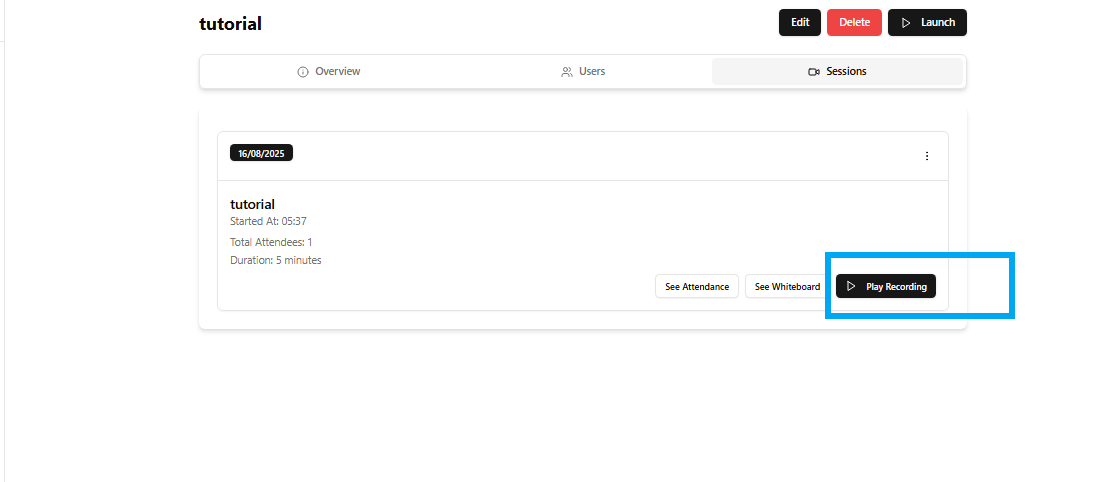
There is a "Play Recording" button that can be seen in the session details section.
This button permits users to view a recorded video of the virtual classroom session once it has been conducted.
This button will normally launch a video player with the session recording, allowing participants or administrators to view what was happening during the class.
As an admin you have the option to save this recording to the library, so anyone can access and share.
Other Context Presented in the Recording Area
Session Information
"See Attendance" (view who came and when),
"See Whiteboard" (view any content or notes posted through the virtual whiteboard),.
Importance of recording sessions:
These sessions allow students or teachers to revisit or review the important information any time they need.
Recording improves the learning experience, as you don't need to explain a single thing again and again and your students can find it out every time they need.