

1. Attendee Overview
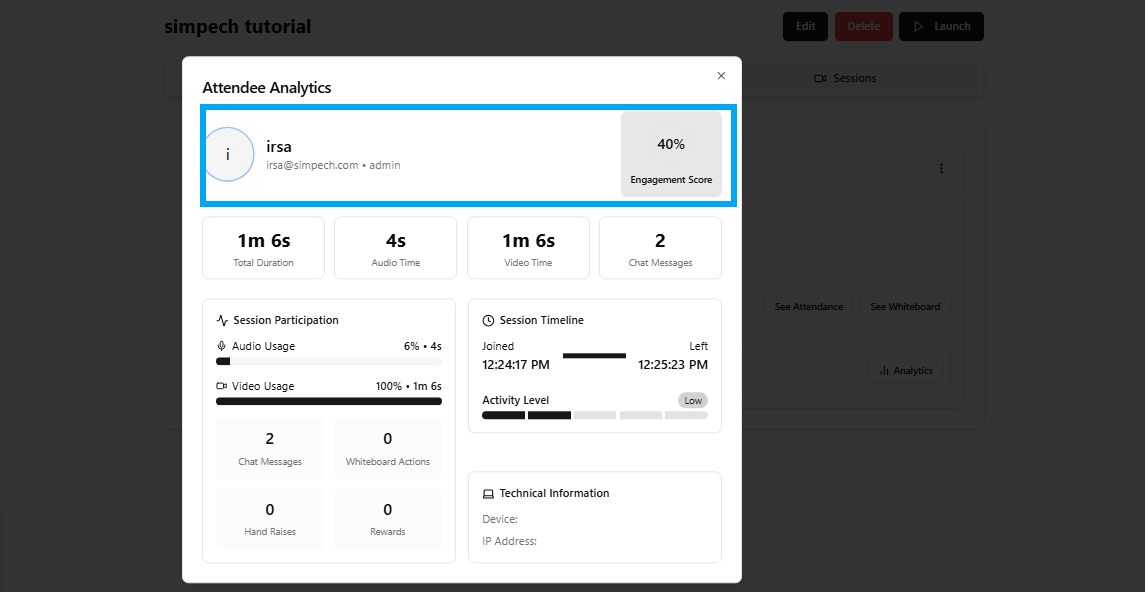
At the top, you’ll see the attendee’s basic information:
Name & Email: Shows who attended the session.
Role: Example – admin, student, or instructor.
Engagement Score: A percentage that reflects how active the participant was during the session.
The engagement score is automatically calculated based on audio, video, chat, and interaction levels.
2. Session Duration
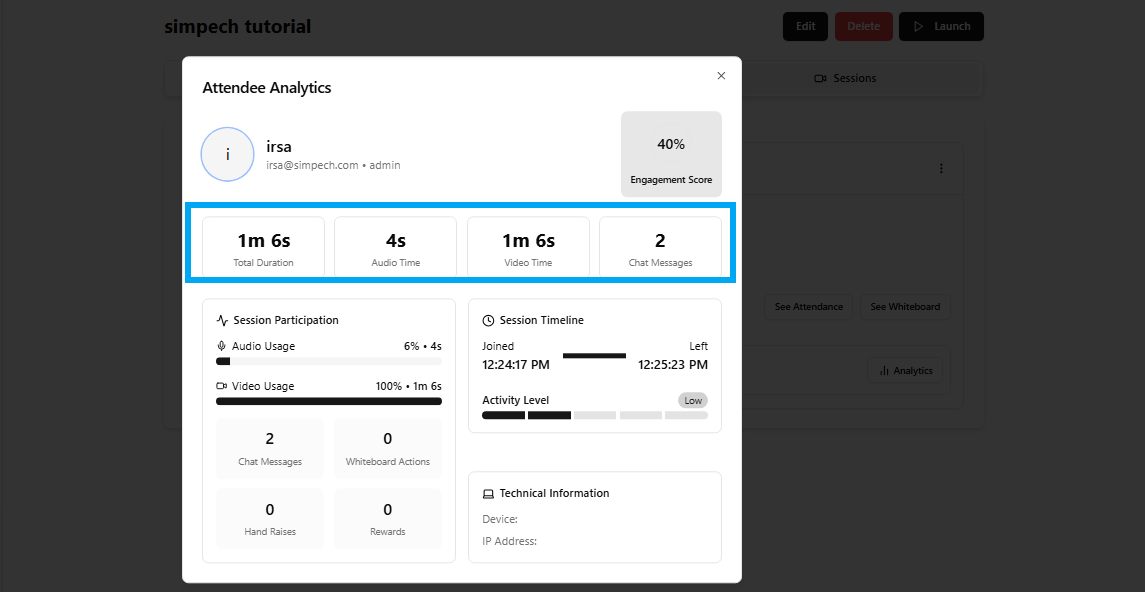
This section displays the total time the participant spent in the class:
Total Time: Total time they were in the session.
Audio Time: Amount of time they had their microphone on.
Video Time: Amount of time they had their video on.
Chat Messages: Amount of messages typed in the chat.
This lets the instructor know if the student was simply attending or engaging.
3. Session Engagement
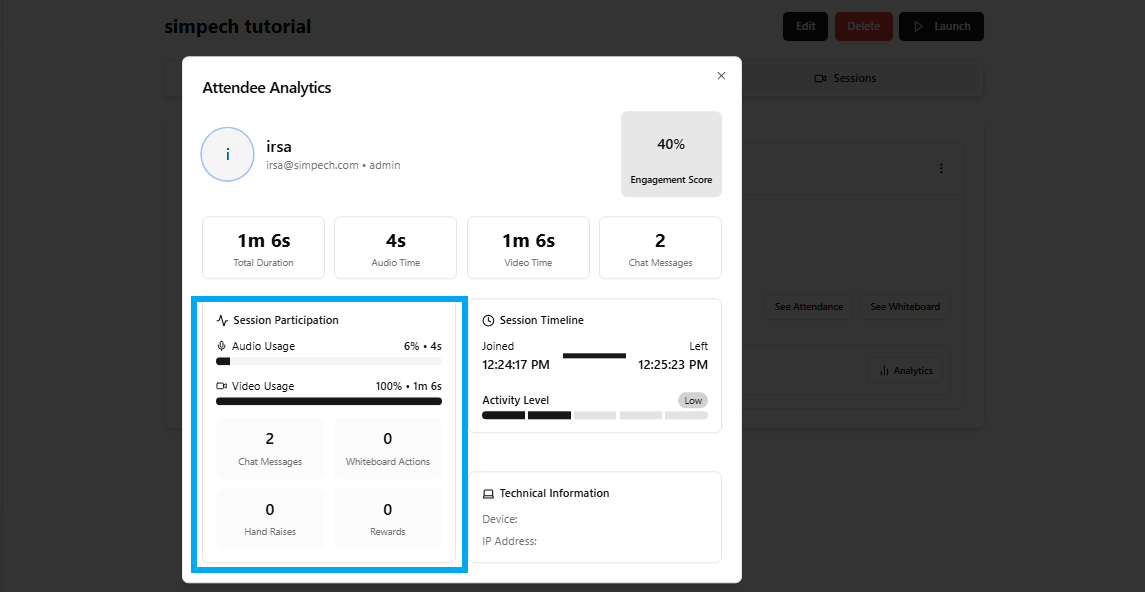
This section indicates the extent to which the student engaged using various tools:
Audio Use: Percentage and length of speaking.
Video Use: Percentage and length of camera use.
Chat Messages: Number of messages shared.
Whiteboard Actions: Frequency the student used the whiteboard.
Hand Raises: Times they raised their hand.
Rewards: Rewards or badges awarded by the teacher.
This division makes it simple to quantify not only presence, but active participation.
4. Session Timeline
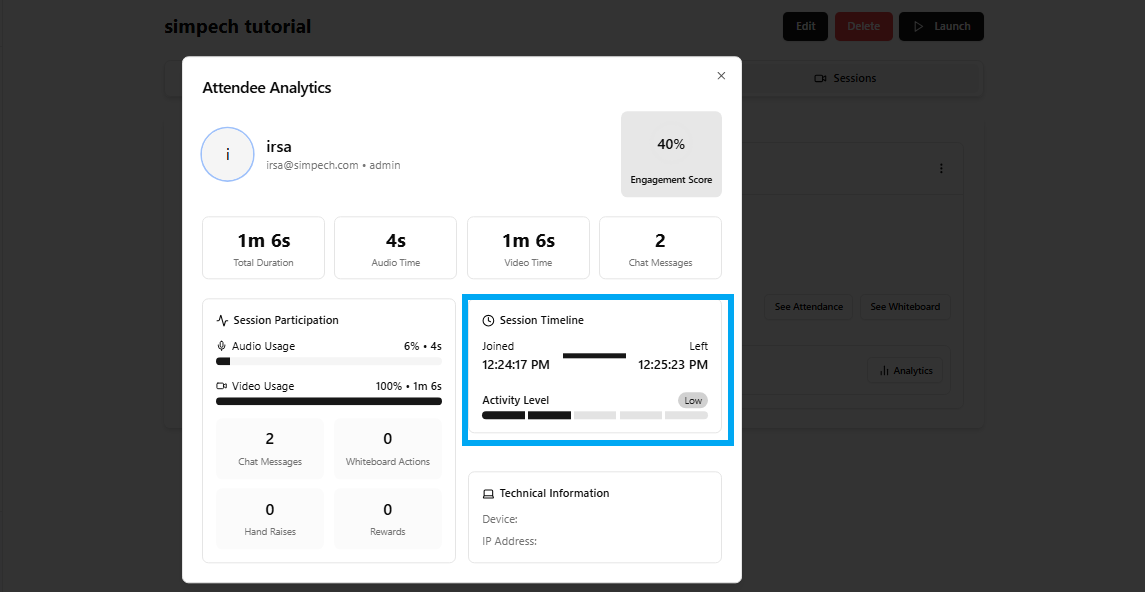
The timeline provides a clear picture of when the participant joined and departed:
Joined: The precise time he/she entered the session.
Left: The precise time he/she departed.
Activity Level: Indicates activity within the session.
Teachers can monitor punctuality and view if students remained for the entire class.
5. Technical Information
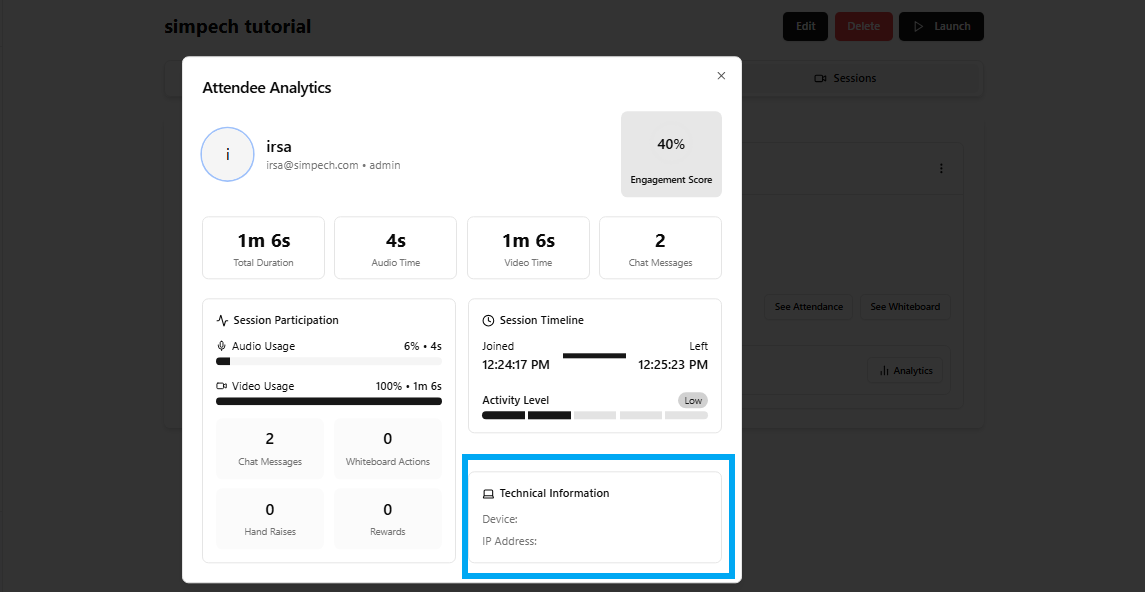
This section includes system information that might be useful in the event of connectivity or performance problems:
Device: What device was used by the student (e.g., laptop, mobile).
IP Address: The network information of the attendee.
This assists in resolving issues such as low-quality audio/video.
6. Why Attendance Analytics Matter
Using these analytics, teachers and institutions can:
Monitor participation trends (who talks more, who remains quiet).
Identify technical problems that can impact learning.
Produce valid reports for academic records and performance monitoring.
Final Thoughts
The Simpech Attendance Analytics tool is more than a presence record. It offers a 360-degree view of how every student engages in class attendance, participation, and engagement.
As a teacher, it assists you in enhancing class interaction. As a student, it encourages you to remain active and alert since each movement contributes towards your score.