

Step 1: Navigate to Your Library
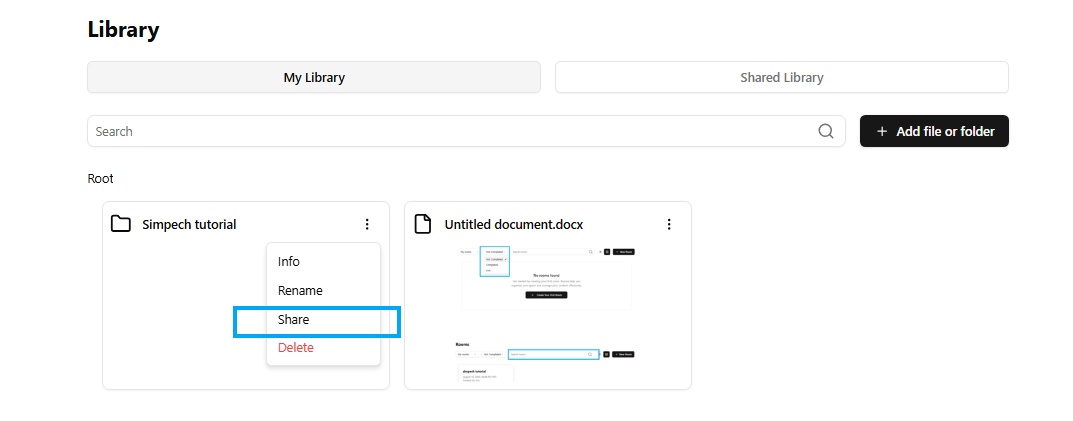
Open the Library segment and ensure you are on the "My Library" tab where you have all your files and folders saved.
Step 2: Choose the person you want to share
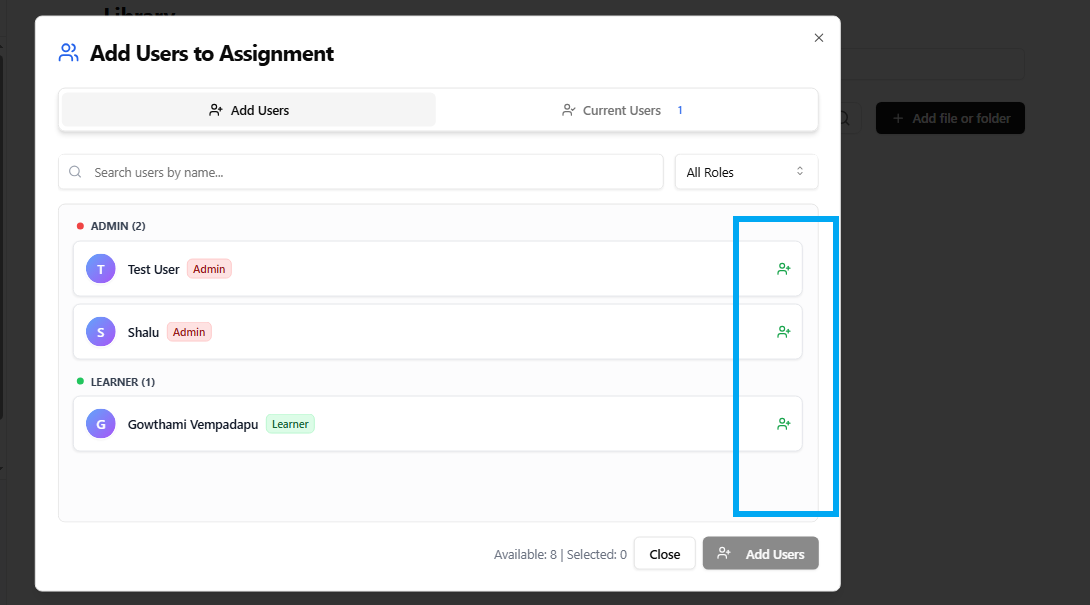
Locate the file or folder you wish to share and choose it by checking the box beside its name.
Step 3: Find and Select Users
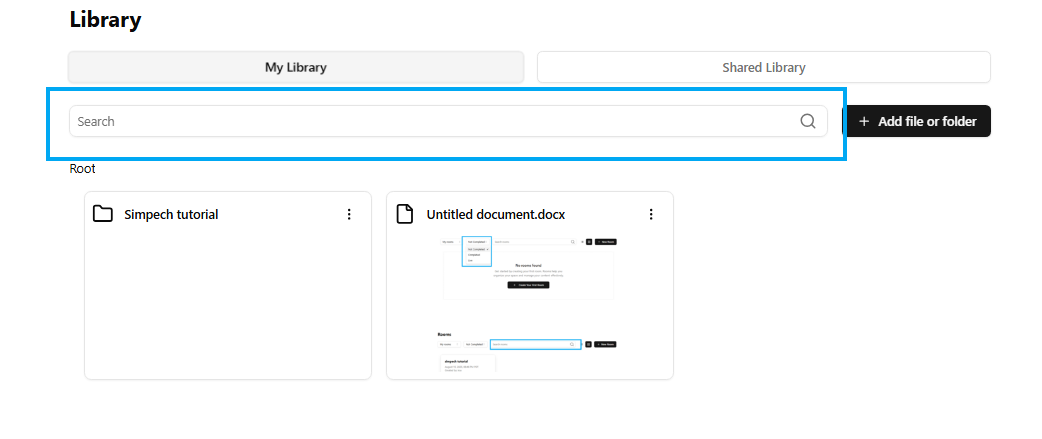
Search in the search box for certain people by name, or look through groups by their roles. Check the checkbox beside each person you want to invite.
Step 4: Approve Sharing
Once you’ve selected everyone, click the "Add Users" button to give them access to your file or folder.
Step5: Current users
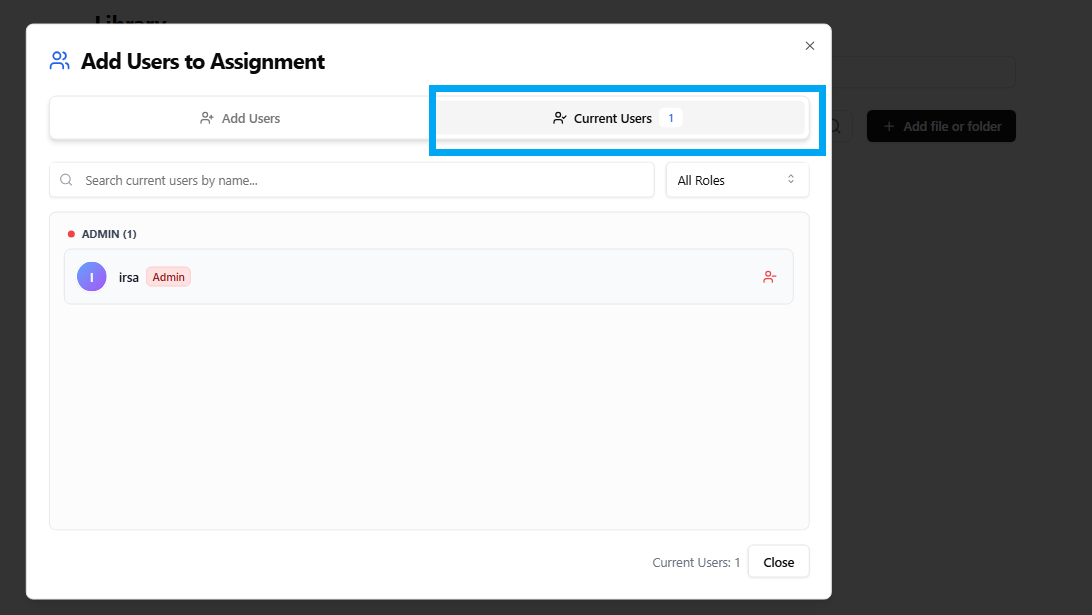
In the current users section you can see the peoples to whom you shared your files. You can remove them if you don't want to share by clicking the - button.
Sharing your documents is quick and lets your team collaborate without hassle. Try it now and keep everyone connected!